

Latest Version
Xiaoya Lab.
IT Tools
Windows
Free
9mv0ghbd5pzd
Report a Problem
More About Better Screen Recorder
The Ultimate Solution for Desktop Capture and Streaming
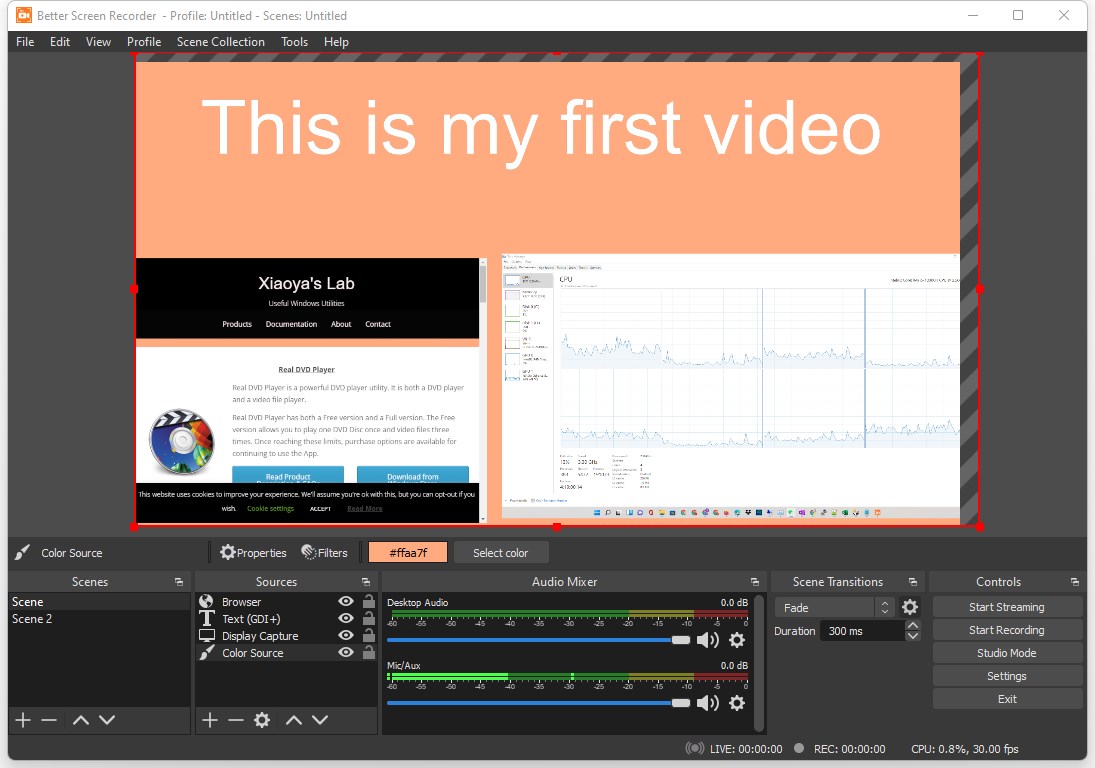
Whether you need to produce a polished software walkthrough or broadcast live gameplay, having a reliable tool is essential. Better Screen Recorder screen recording software offers Windows users a robust, highly customizable platform to capture their screens and share content effortlessly. Built upon the powerful architecture of the open-source OBS Studio project, this utility bridges the gap between professional-grade broadcasting features and consumer-friendly usability.
Flexible Capture Sources and Audio Mixing
One of the standout features of this application is its incredible versatility in terms of input selection. Users are not limited to just capturing their entire desktop; you can isolate specific regions, active application windows, web browsers, or direct webcam feeds. This flexibility makes it an exceptional tool for creators, educators, and professionals alike.
- Multi-Source Mixing: Combine your desktop view, webcam overlay, and browser windows into a single, cohesive feed.
- Advanced Audio Control: Seamlessly blend system audio (such as background music or application sounds) with live voiceovers from your microphone.
- Native Integration: Enjoy pre-configured compatibility with major live streaming networks for hassle-free broadcasting.
Supported Formats and Troubleshooting Tips
By default, the Better Screen Recorder screen recording software saves your high-quality video captures in the robust .mkv format. However, users can easily customize their output preferences within the settings menu to export files directly to popular formats including .mp4, .mov, .flv, .ts, or .m3u8.
For users encountering a black screen when attempting to capture specific application windows, the developer, Xiaoya Lab., suggests a simple workaround. This issue typically occurs due to Direct3D hardware acceleration in the target application. Switching your source type from "Window Capture" to "Game Capture" within the software settings generally resolves the issue immediately, ensuring smooth video capture.
Is It Right For You?
If you are running Windows 10 or 11 and need a dependable, feature-rich utility for video creation or broadcasting, this application is highly recommended. It delivers the structural strength of OBS Studio while remaining accessible enough for everyday recording tasks. To try it out for yourself, head over to the official Microsoft App Store to obtain the application and upgrade your content creation setup.
Rate the App
User Reviews

Popular Apps










Editor's Choice