

Latest Version
bkbilly
Security
Linux
Free
io.github.bkbilly.lnxlink
Report a Problem
More About LNXlink
For Linux users who love smart home automation, bridging the gap between an operating system and external IoT ecosystems has historically required complex scripting. LNXlink Linux system integration changes the game by offering a native, lightweight companion bridge that links your computer directly to platforms like Home Assistant via the robust MQTT protocol.
The Power of LNXlink Linux System Integration
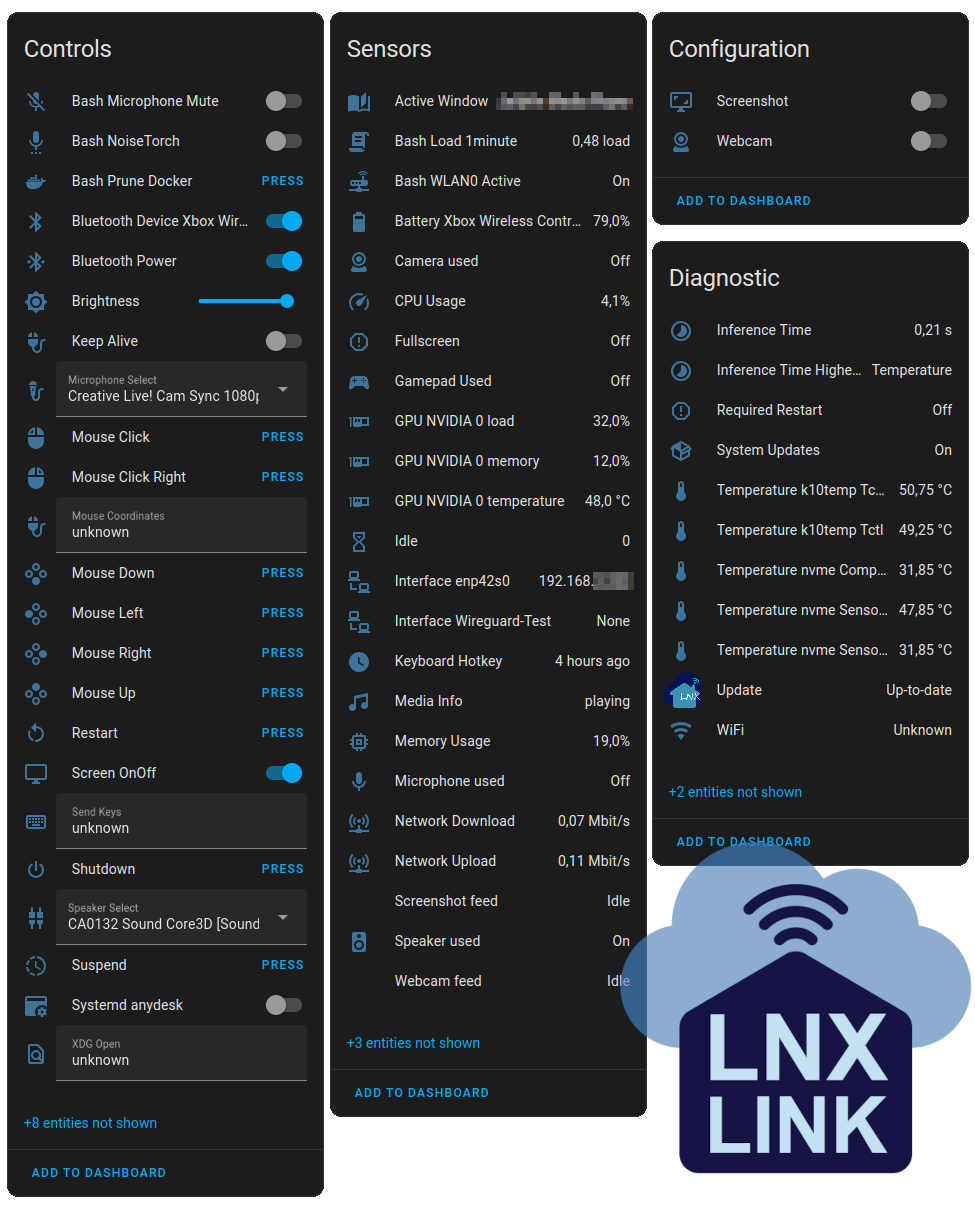
What makes this utility stand out from traditional command-line workarounds is its elegant utilization of MQTT Autodiscovery. Instead of manually configuring YAML files for every metric you want to track, this software automatically exposes your system's hardware states, allowing Home Assistant to instantly recognize and display them as interactive entities. It simplifies smart home telemetry down to a few basic steps.
Key Features and Capabilities
- Automatic Sensor Discovery: Monitor your CPU temperatures, memory usage, and system states without manual configuration.
- Home Assistant Autodiscovery: Instant entity creation that even notifies you when a system update is required.
- No Root Privileges Required: You do not need to run the application with sudo or administrative privileges for standard desktop setups, keeping your system secure.
- Modular Architecture: The application is highly extensible. New modules are imported automatically, and developers can easily build custom modules to suit their specific telemetry needs.
Who is this Linux Companion Utility For?
If you have a dedicated media center, a Linux-powered smart home dashboard, or simply want your office lights to turn off when your PC goes to sleep, this tool is indispensable. It sits in the security category because it respects system boundaries, running in the user space without demanding deep system privileges unless you are deploying it on a specialized server environment.
Our Editorial Verdict
Developer bkbilly has created an incredibly elegant solution to a common hurdle in the home automation community. By leveraging the lightweight MQTT messaging standard, it keeps resource overhead minimal while providing near-instantaneous feedback and control latency. It is a must-have tool for any Linux enthusiast building a connected home ecosystem.
To try this integration yourself and explore its modular features, head over to the official Flathub store page to get started with the deployment on your workstation.
Rate the App
User Reviews
Other Apps in This Category



Popular Apps










Editor's Choice