

Latest Version
VADIM ZYBIN
Entertainment
Mac
$8.99
522706442
Report a Problem
More About Sync Folders Pro
The Challenge of Keeping Multi-Device Files in Perfect Harmony
Managing files across multiple storage devices, local networks, and cloud platforms can quickly become a administrative nightmare. Whether you are safeguarding critical work documents or archiving massive creative portfolios, manual copying is tedious and prone to errors. Sync Folders Pro folder synchronization offers an elegant, robust solution to this everyday digital headache, providing Mac users with a highly reliable way to automate and streamline their file backups.
What is Sync Folders Pro?
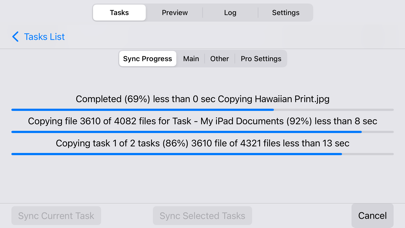
Developed by Vadim Zybin, Sync Folders Pro is a utility designed to automate file replication and backups. Unlike basic copy-and-paste functions, this utility intellectualizes the process. It scans your source and destination directories to identify changes, ensuring only modified or newly created files are transferred. This targeted approach not only saves valuable time but also minimizes wear and tear on your solid-state drives (SSDs) and external hard disks.
Key Features of Sync Folders Pro Folder Synchronization
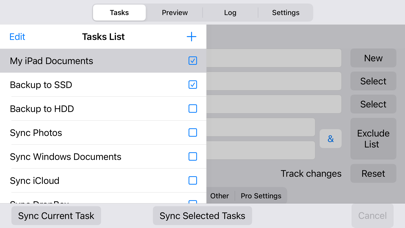
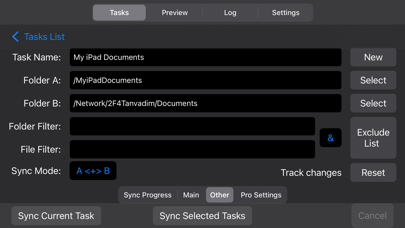
- Versatile Storage Support: Sync files seamlessly across local macOS folders, network drives (Mac and PC), iCloud, external USB drives, and memory cards.
- Bidirectional and Mirror Syncing: Choose between two-way synchronization to keep both locations identical, or execute traditional one-way mirror backups.
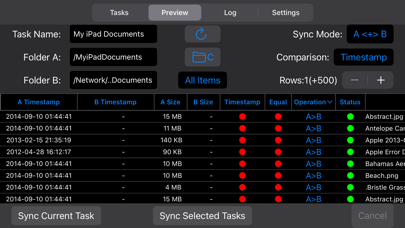
- Advanced Preview Mode: View and modify pending file actions before committing to the synchronization process, giving you ultimate control over your data.
- Robust File Filtering: Easily exclude specific subfolders, file extensions, or hidden system files to keep your backups clean and relevant.
- Optimized for Enterprise-Scale Data: Built to handle terabytes of information and millions of files without performance degradation.
Tailored for Both Beginners and Power Users
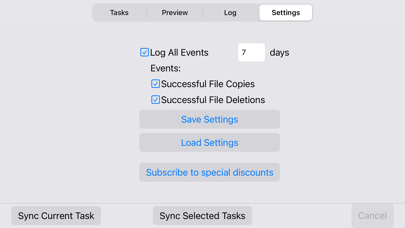
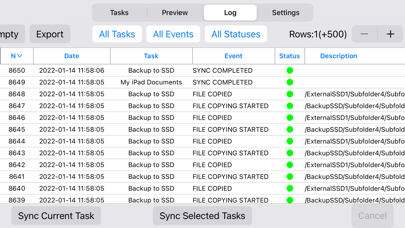
One of the standout aspects of this software is its scalable complexity. Beginners can set up a basic backup task in seconds by selecting two folders and sticking with the optimized default settings. However, professionals can unlock a suite of advanced capabilities, including nine distinct synchronization modes, six file comparison methods to bridge different file systems, and full preservation of file attributes like timestamps and tags. It even includes version tracking, allowing you to restore older versions of files that have been overwritten or deleted.
Is It the Right Backup Tool for You?
If you are looking for a set-and-forget tool to secure your local and network directories, this application delivers professional-grade performance in an accessible package. To explore its full range of capabilities and integrate it into your digital workflow, visit the official Mac App Store to get started.
Rate the App
User Reviews









Popular Apps










Editor's Choice